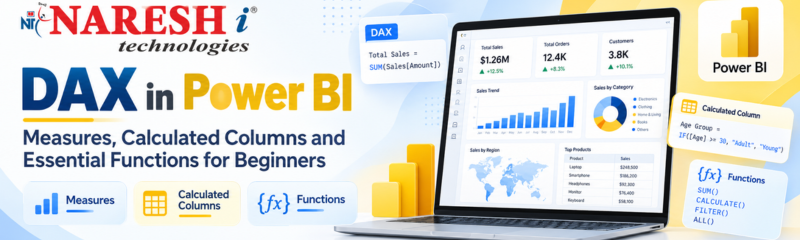
After learning Power Query and Data Modelling in Power BI, the next important step is understanding DAX.
DAX helps users create calculations, compare performance and build meaningful business metrics inside Power BI.
For learners following a structured Power BI path, DAX is where basic reports start becoming real analytical dashboards.
Power BI learning flow:
Power Query → Data Modelling → DAX → Visualizations → Dashboards
What Is DAX in Power BI?
DAX, or Data Analysis Expressions, is a formula language used in Power BI to create calculations from data.
DAX helps users calculate values such as:
- Total Sales
- Total Profit
- Average Revenue
- Profit Margin
- Growth Percentage
- Year-to-Date Sales
- Previous-Year Sales
A simple DAX measure may look like:
Total Sales = SUM(Sales[Sales Amount])This formula calculates the total value from the Sales Amount column.
Why Is DAX Important in Power BI?
Charts alone do not provide deep business insights.
DAX helps transform data into useful metrics that decision-makers can understand.
For example, businesses may want to know:
- How much revenue was generated?
- Which product performed best?
- How much did sales grow compared with last year?
- What is the average order value?
- Which region has the highest profit?
DAX helps Power BI answer these questions dynamically.
What Is a Measure in Power BI?
A measure is a DAX calculation that changes according to the filters applied in a report.
Example:
Total Revenue = SUM(Sales[Revenue])If a user selects Hyderabad in a dashboard, the measure shows Hyderabad revenue.
If the user selects another city, the result automatically changes.
Measures are commonly used for:
- Revenue
- Profit
- Average Sales
- Customer Count
- Growth Rate
- KPIs
What Is a Calculated Column?
A calculated column creates a new value for every row in a table.
Example:
Profit = Sales[Revenue] - Sales[Cost]If the table contains 10,000 rows, Power BI calculates a profit value for each row.
Calculated columns are useful when a row-level result is required.
Examples include:
- Full Name
- Product Category
- Profit per transaction
- Age Group
- Status
Measure vs Calculated Column
Beginners often confuse these two concepts.
| Measure | Calculated Column |
|---|---|
| Calculates results dynamically | Calculates row by row |
| Responds to report filters | Stored in the data model |
| Useful for KPIs | Useful for classifications |
| Usually preferred for aggregations | Useful when a row-level value is needed |
Essential DAX Functions for Beginners
Here are some useful DAX functions every beginner should understand.
SUM()
Adds numeric values.
Total Sales = SUM(Sales[Sales Amount])AVERAGE()
Calculates the average value.
Average Sales = AVERAGE(Sales[Sales Amount])COUNTROWS()
Counts the number of rows in a table.
Total Orders = COUNTROWS(Sales)DISTINCTCOUNT()
Counts unique values.
Total Customers = DISTINCTCOUNT(Sales[Customer ID])DIVIDE()
Divides one value by another safely.
Profit Margin = DIVIDE([Total Profit], [Total Sales])CALCULATE()
CALCULATE() is one of the most important DAX functions.
It changes the filter context of a calculation.
Example:
Online Sales =
CALCULATE(
    [Total Sales],
    Sales[Channel] = "Online"
)
This calculates only online sales.
Common DAX Mistakes Beginners Should Avoid
While learning DAX, avoid these common mistakes:
- Creating calculated columns when a measure is better
- Writing complex formulas too early
- Ignoring table relationships
- Using incorrect data types
- Not understanding filter context
- Creating too many unnecessary measures
- Using unclear measure names
Start with simple calculations before moving to advanced DAX.
Power BI Training in KPHB
Learners exploring Power BI training in KPHB should focus on understanding the complete Power BI workflow instead of learning isolated features.
A strong learning path includes:
- Power Query
- Data Cleaning
- Data Modelling
- Relationships
- DAX
- Visualization
- Dashboard Development
- Real-world projects
At NareshIT KPHB, learners can build Power BI and data analytics skills through structured learning and practical exercises.
Frequently Asked Questions
What is DAX in Power BI?
DAX is a formula language used in Power BI to create calculations, measures and analytical expressions.
What is the difference between a measure and calculated column?
A measure calculates results dynamically based on filters, while a calculated column generates a value for every row.
Is DAX difficult for beginners?
Basic DAX functions are easy to learn. Advanced concepts become easier with regular practice and a good understanding of data modelling.
Which DAX function should beginners learn first?
Start with SUM(), AVERAGE(), COUNTROWS(), DISTINCTCOUNT(), DIVIDE() and then move to CALCULATE().
Is DAX required for Power BI?
Basic reports can be created without advanced DAX, but DAX is important for professional analytics, KPIs and business calculations.