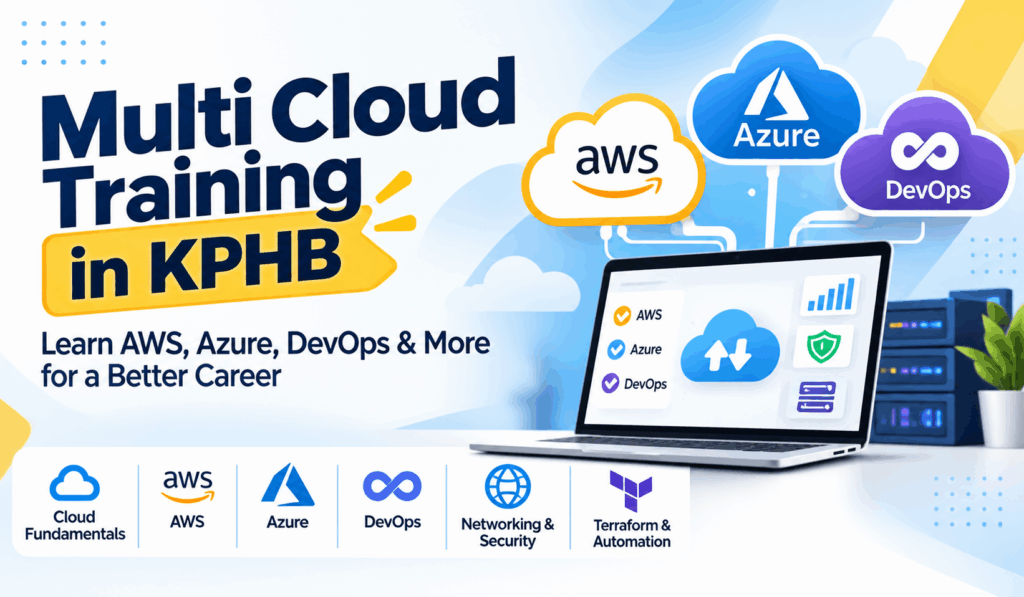
Multi Cloud Training in KPHB: Skills, AWS, Azure and DevOps for Beginners
Cloud computing has become an important part of modern IT because businesses use cloud platforms to host applications, manage data, and maintain digital services. Students and freshers who want to build a career in cloud technology can start by understanding cloud computing fundamentals and learning how different cloud platforms work.
Multi Cloud Training in KPHB is a relevant learning option for people who want to understand multiple cloud platforms, including Amazon Web Services (AWS) and Microsoft Azure. Before starting advanced topics, beginners should learn the basic concepts, technical skills, and common mistakes associated with multi-cloud environments.
What Is Multi-Cloud Computing?
Multi-cloud computing means using services from two or more cloud providers to support different business requirements. For example, a company might use AWS for application hosting and Azure for selected business applications or identity services.
Each cloud platform offers different services, tools, pricing models, and management options. Learning how these services work helps students understand how organisations select and manage cloud resources.
Multi-cloud is different from simply learning two platforms separately. It also involves understanding networking, security, monitoring, access management, and the challenges of managing resources across multiple environments.
What Skills Should Beginners Learn?
A strong foundation helps beginners progress towards cloud engineering, DevOps, and infrastructure-related roles.
- Cloud computing fundamentals: Understand cloud services, virtual machines, storage, and deployment models.
- AWS: Explore services such as Amazon EC2, Amazon S3, and basic identity and access management.
- Microsoft Azure: Learn about Azure Virtual Machines, storage accounts, virtual networks, and access control.
- Networking: Understand IP addresses, DNS, subnets, routing, and firewalls.
- DevOps fundamentals: Learn how development and operations teams collaborate to deliver applications.
- Automation: Explore scripting, Infrastructure as Code (IaC), and tools such as Terraform.
- Monitoring and security: Understand logs, alerts, permissions, and resource usage.
Beginners do not need to master every technology immediately. Learning one concept at a time and practising with small projects is a more manageable approach.
Technical Concepts and Their Purpose
The following table explains important concepts that beginners may encounter while learning multi-cloud computing..
Technology or concept | Technical purpose | Beginner practice |
AWS EC2 | Runs virtual servers in AWS | Launch and connect to a test instance |
Amazon S3 | Stores objects such as files and backups | Create a test bucket and review permissions |
Azure Virtual Machines | Runs virtual servers in Azure | Explore VM configuration and networking |
Virtual Networks | Connects and isolates cloud resources | Understand subnets and network rules |
IAM and access control | Manages identities and permissions | Practise least-privilege access |
Terraform | Defines and provisions infrastructure using code | Create a basic configuration |
CI/CD | Automates application build, testing, and deployment steps | Understand a simple deployment pipeline |
Monitoring | Tracks performance, logs, and resource health | Create a basic alert or review logs |
Always check current cloud pricing before creating resources, and remove unused services to avoid unexpected charges.
Common Mistakes Beginners Should Avoid
Learning tools without understanding the basics
Memorising AWS and Azure service names is not enough. First understand what servers, storage, networking, and permissions actually do.
Ignoring cloud security
Leaving resources publicly accessible or giving users excessive permissions can expose applications and data. Use appropriate access controls and review configurations carefully
Treating AWS and Azure as identical
Both platforms offer similar categories of services, but their configurations, terminology, and management tools differ. Learn the similarities without assuming every feature works in the same way.
Skipping practical projects
Watching tutorials alone may not build enough confidence. Practise deploying a simple application, configuring storage, reviewing logs, and managing access permissions.
Forgetting cost management
Cloud resources may continue generating charges even when you are not actively using them. Set budgets where available, check billing dashboards, and delete resources when finished.
Learning DevOps without understanding deployment
DevOps includes collaboration, automation, testing, monitoring, and continuous delivery. Understand the application lifecycle before moving to complex CI/CD pipelines.
How Can Students Practise Multi-Cloud Skills?
A beginner can start with a small project, such as deploying a portfolio website. First, learn how to host it on one cloud platform. Next, explore equivalent services on another platform and compare networking, security, monitoring, and costs.
After understanding the basics, students can explore Terraform, Git, CI/CD pipelines, and other DevOps practices. This gradual approach helps connect cloud theory with practical technical work.
Students and freshers exploring local learning options can review Multi Cloud Training in KPHB for information about the course. Review the current course details to understand the topics and practical learning opportunities offered.
Frequently Asked Questions
1. What is Multi Cloud Training in KPHB?
It refers to training opportunities in the KPHB area focused on understanding multiple cloud platforms and related concepts. The exact syllabus and practical exercises depend on the training programme.
2. Can beginners learn multi-cloud computing?
Yes. Beginners can start with cloud computing fundamentals, networking, storage, and security before progressing to AWS, Azure, and multi-cloud architecture.
3. Should I learn AWS or Azure first?
Start with either platform. Choose based on your learning goals, available practice resources, and the technologies you want to explore. Build a foundation before studying the second platform.
4. How are cloud computing and DevOps related?
Cloud computing provides infrastructure and services for running applications. DevOps practices help teams automate software development, testing, deployment, and monitoring. These areas often work together in modern IT environments.
5. Is coding required for multi-cloud computing?
You can begin without advanced coding skills. However, basic scripting and familiarity with configuration files become useful when working with automation, Terraform, and CI/CD tools.
6. What projects can beginners practise?
Start with a virtual machine, cloud storage setup, a simple website deployment, access-control configuration, or a basic monitoring exercise. Progress to infrastructure automation after understanding the fundamentals.
Conclusion
Multi-cloud computing brings together cloud platforms, networking, security, automation, and operational skills. For beginners, the best approach is to build strong fundamentals, practise with AWS or Azure, and gradually explore DevOps tools and multi-cloud environments.
With consistent hands-on practice, students can develop a clearer understanding of cloud technologies and prepare to explore relevant technical career paths.