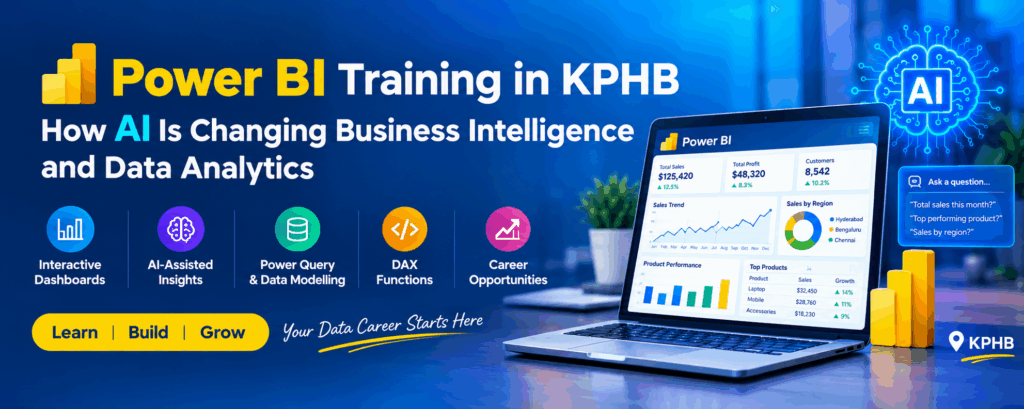
Power BI Training in KPHB: How AI Is Changing Business Intelligence and Data Analytics
Artificial intelligence is changing how businesses collect, analyze, and interpret data. Today, organizations use business intelligence tools such as Microsoft Power BI to convert raw data into meaningful insights, track performance, and make informed business decisions.
Earlier, analysts often spent considerable time preparing reports manually and comparing spreadsheets. With Power BI, businesses can create interactive dashboards, monitor key performance indicators (KPIs), and identify trends more efficiently. AI-assisted capabilities can further support data exploration and help users investigate business questions.
For example, a retail company can use Power BI to compare monthly sales, identify its best-performing products, and analyze regional performance. AI-assisted features may also help users explore supported questions and patterns within their data.
For students, freshers, and working professionals looking for Power BI training in KPHB, understanding how AI connects with business intelligence and data analytics is a valuable step towards developing practical analytical skills
What Is Power BI in Business Intelligence?
Microsoft Power BI is a business intelligence and data visualization platform that helps users connect to data sources, transform information, create reports, and share insights.
It allows businesses to present complex datasets through charts, tables, dashboards, and interactive filters. Instead of manually reviewing thousands of rows, users can explore important business metrics in a structured format.
Power BI is commonly used for sales analysis, financial reporting, marketing performance, inventory management, and operational reporting.
.
Where Is Power BI Used in Business?
Business Area | How Power BI Helps | Example |
Sales | Tracks revenue and sales targets | Monthly sales dashboard |
Finance | Monitors expenses and profitability | Financial performance report |
Marketing | Measures campaign results | Campaign performance analysis |
Human Resources | Analyzes employee-related metrics | Workforce dashboard |
Retail | Monitors products and inventory | Product sales report |
Operations | Tracks operational performance | Department KPI dashboard |
These applications help businesses understand their performance and identify areas that need improvement.
How Is AI Changing Business Intelligence and Data Analytics?
AI is introducing new ways to explore data, identify patterns, and support analytical workflows. When combined with Power BI and other analytical tools, these capabilities can help users investigate business questions more effectively.
1. Natural-Language Data Analysis
Traditionally, users may need to apply multiple filters or navigate different reports to find specific information. Supported natural-language features can allow users to ask questions about their data in everyday language.
For example:
- Which product generated the highest sales?
- What was the total revenue this month?
- Which region performed below its target?
- How did sales change compared with the previous month?
Depending on the Power BI features available and the report configuration, users can explore supported questions and relevant results.
2. Identifying Trends and Patterns
AI-assisted analytics can help users investigate patterns and relationships within business data.
For example, an e-commerce company can analyze historical sales to understand seasonal demand, compare product performance, and identify unusual changes in revenue.
These insights can support business planning, but analysts should verify the findings against the source data before making decisions.
3. Improving Dashboard Analysis
Power BI enables users to combine KPI cards, charts, tables, slicers, and filters into interactive reports.
AI-assisted capabilities may help users explore data and develop insights more efficiently. However, effective dashboards still depend on accurate data, suitable visualizations, and clearly defined business objectives.
4. Supporting Forecasting and Predictive Analysis
Businesses often want to estimate future performance using historical information.
Depending on the tools and analytical methods used, sales, revenue, and demand data can be analyzed to produce forecasts.
For example, a retail business can examine previous sales patterns to estimate future product demand. Forecasts are estimates rather than guaranteed outcomes, and their reliability depends on data quality and the forecasting method.
5. Reducing Repetitive Reporting Tasks
Many organizations prepare daily, weekly, or monthly reports. Power BI supports scheduled data refreshes and report sharing when the necessary data connections, permissions, and service configurations are in place.
This can reduce repetitive reporting work and allow analysts to focus more on interpreting results and communicating business insights.
Traditional Business Intelligence vs AI-Assisted Business Intelligence
Traditional business intelligence focuses on organizing information, monitoring performance, and presenting historical reports. AI-assisted business intelligence adds capabilities that can help users explore data and investigate patterns.
Traditional BI | AI-Assisted BI |
Focuses on reports and dashboards | Adds AI-supported analytical capabilities |
Users explore data through charts and filters | Supported features may allow natural-language exploration |
Analysts investigate trends using reports and calculations | AI can help identify potential patterns |
Historical reports support business decisions | Reports and predictive tools can provide additional insights |
Requires accurate source data | Also requires accurate data and result validation |
AI does not replace the need for analytical thinking. Professionals must still validate calculations, understand business requirements, and interpret results correctly.
Important Power BI Skills to Learn Alongside AI
Learning AI-related features is useful, but beginners should first understand the core concepts of Power BI. These skills help users create reliable reports and explain the insights they discover
Power Query and Data Cleaning
Power Query helps users import, clean, and transform data before analysis.
Common tasks include removing duplicate records, handling missing values, correcting data types, filtering unwanted information, and combining multiple tables.
Data Modelling
Data modelling involves organizing tables and creating relationships between related datasets.
For example, a sales table can be connected to product and date tables. A well-designed model supports accurate calculations and more manageable reports.
DAX Functions
Data Analysis Expressions (DAX) is used to create measures, calculated columns, and other calculations in Power BI.
Common examples include total sales, total profit, profit margin, year-to-date sales, and month-over-month growth.
Data Visualization and Dashboard Design
Data visualization helps users understand information through charts and other visual elements. A well-designed dashboard should answer business questions clearly rather than display too many unrelated charts.
Power BI Skill | Purpose | Practical Example |
|---|---|---|
Power Query | Clean and transform data | Remove duplicate transactions |
Data Modelling | Establish relationships | Connect products with sales |
DAX | Create calculations | Calculate profit margin |
Charts and Visuals | Present information clearly | Compare regional sales |
Dashboard Design | Organize key metrics | Build a sales performance dashboard |
Power BI Service | Publish and share reports | Share a report with authorized users |
AI-Assisted Analytics | Explore supported AI features | Investigate changes in sales patterns |
.
Practical Example: Creating a Sales Dashboard Using Power BI
Consider a company that sells products across Hyderabad, Bengaluru, and Chennai. The management team wants to compare monthly revenue, identify profitable products, and understand which regions are meeting their targets.
A Power BI analyst can follow these steps:
- Import sales data from Excel or another supported data source.
- Clean the data using Power Query.
- Create relationships between sales, products, and dates.
- Create DAX measures for total sales and profit.
- Build charts to compare monthly and regional performance.
- Add slicers to filter the report by product, region, or month.
- Explore supported AI-assisted analytics features where available.
- Validate the results and present actionable findings to the business team.
Recommended Sales Dashboard Structure
Dashboard Component | Information Displayed |
Total Sales KPI | Overall revenue |
Total Profit KPI | Profit generated |
Monthly Sales Chart | Revenue trends over time |
Regional Sales Chart | Performance by location |
Product Performance Table | Sales by product |
Date and Region Slicers | Interactive report filtering |
This practical workflow demonstrates how data preparation, DAX, visualization, and analytical interpretation work together in a business intelligence project.
Common Power BI Dashboard Mistakes and How to Avoid Them
Beginners sometimes focus on creating attractive charts without considering whether the dashboard answers the actual business question.
Common Mistake | Recommended Practice |
Using too many charts | Include only relevant visualizations |
Selecting the wrong chart type | Match the visual to the business question |
Using unclear chart titles | Write meaningful, descriptive titles |
Displaying too many KPIs | Prioritize the most important metrics |
Ignoring data quality | Validate source data and calculations |
Trusting AI-generated insights without checking | Verify results against the underlying data |
Ignoring report usability | Use clear labels, filters, and a consistent layout |
A successful dashboard combines accurate information, appropriate visualizations, and a clear explanation of what the results mean.
.
Power BI Training in KPHB: What Should Beginners Learn?
Students and freshers exploring Power BI training in KPHB, Hyderabad, should look for practical learning that covers both technical fundamentals and business reporting scenarios.
A structured learning path should include:
- Power BI Desktop fundamentals
- Connecting to Excel and other data sources
- Power Query and data transformation
- Data modelling and relationships
- DAX functions and measures
- Charts, filters, and interactive dashboards
- Power BI Service and report sharing
- Introduction to AI-assisted analytics
- Real-world dashboard projects
At NareshIT KPHB, learners can explore Power BI concepts through structured training and practical exercises. Working with sample business datasets and developing dashboards can help beginners understand how reporting and analytical concepts are applied in real-world scenarios.
Explore NareshIT KPHB for information about training opportunities and practical learning in Power BI and related technologies.
Career Opportunities in Power BI and Data Analytics
Power BI skills can be useful for professionals interested in reporting, data analysis, and business intelligence. Career requirements vary by employer, and some roles require additional knowledge of SQL, Excel, Python, or data warehousing.
Job Role | Relevant Skills |
Power BI Developer | Power BI, DAX, data modelling |
Data Analyst | SQL, Excel, Power BI, analytical thinking |
Business Intelligence Analyst | Reporting, KPIs, dashboards |
Reporting Analyst | Excel, Power BI, data validation |
Business Analyst | Business requirements, reporting, communication |
MIS Executive | Excel, reporting, data management |
For freshers, developing practical projects and explaining the business insights behind each dashboard can help demonstrate their skills during interviews.
Frequently Asked Questions
1. What is Power BI used for in business intelligence?
Power BI is used to connect data sources, transform information, create interactive dashboards, monitor business performance, and communicate insights through reports.
2. How is AI changing Power BI and data analytics?
AI-assisted features can help users explore supported natural-language questions, investigate patterns, and use certain analytical capabilities. Results should be checked before important business decisions are made.
3. Can beginners learn Power BI without programming knowledge?
Yes. Beginners can start with Power BI Desktop, Excel datasets, Power Query, and basic visualizations. DAX and SQL can be learned progressively as analytical requirements become more advanced.
4. What topics should a Power BI training course cover?
A practical course should cover data connections, Power Query, data modelling, DAX, visualization, dashboard development, Power BI Service, and real-world projects.
5. Is Power BI useful for freshers interested in data analytics?
Yes. Power BI can be a useful skill for freshers pursuing reporting, business intelligence, and data analytics roles. Combining it with SQL, Excel, analytical thinking, and project experience can strengthen their skills.
6. Does Power BI require AI knowledge?
No. Beginners can learn the core features of Power BI without AI knowledge. AI-assisted capabilities can be explored later to understand how they support data analysis and business intelligence.
7. Where can I learn Power BI in KPHB, Hyderabad?
Learners can explore NareshIT KPHB for information about Power BI training and practical learning opportunities in the KPHB area of Hyderabad.
Final Thoughts
Artificial intelligence is expanding the possibilities of business intelligence, but strong data fundamentals remain essential for effective analytics.
Learning Power Query, data modelling, DAX, dashboard design, and report sharing helps beginners develop a solid foundation in Power BI. Exploring AI-assisted features alongside these skills can provide a broader understanding of modern business intelligence.
For learners interested in Power BI training in KPHB, combining structured learning with practical dashboard projects is a useful way to build analytical skills and prepare for data analytics and business intelligence opportunities.